


Bible Widgets
4.9397.00 Reviews
App Specs
- Version
- 4.93.0
- Updated On
- License
- Free
- Downloads
- 100,000+
- Developer
- Monkey Taps LLC
- Categories
- Lifestyle
- Platform
- Android
Screenshots
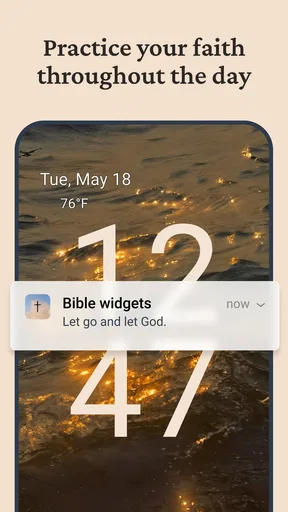
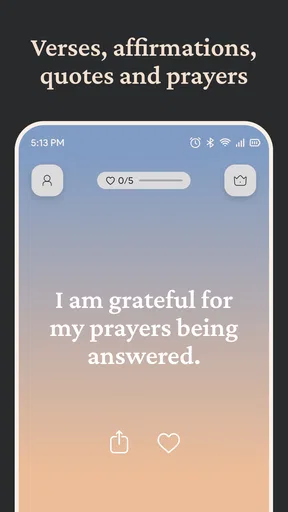

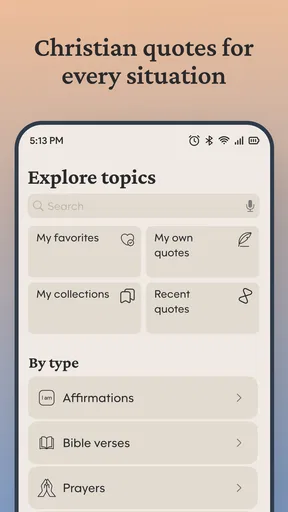
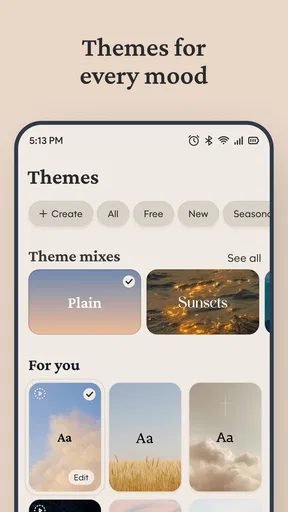
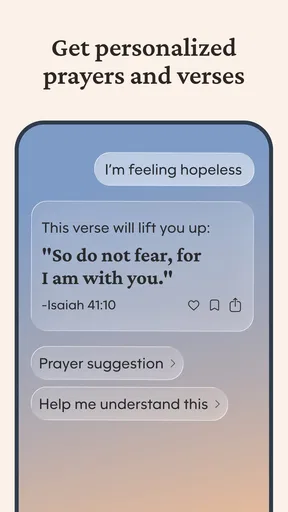
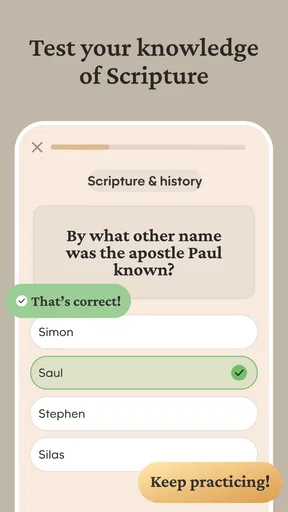
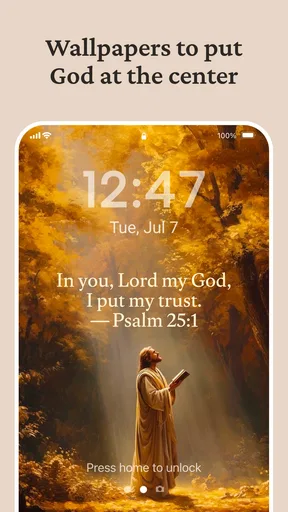
 Analysis by AppCompare
Ever find yourself wanting a little inspiration or guidance throughout your day? Well, let me introduce you to Bible Widgets. This handy little app has been my companion for a while now, and it's like having a personal, pocket-sized spiritual guide. Let’s dive into what makes this app a must-have for anyone looking to sprinkle a bit of faith into their daily routine.
A glance that invites a pause
The appeal here is not a long session or a complicated study plan. It is the possibility of meeting a verse while checking the same screen I already use to see the time or plan my day. That makes this a particular kind of Lifestyle app: it can put a small prompt in view without asking me to open a full reading app every time I want a moment of reflection.
That convenience also changes what I expect from it. A home-screen widget is most useful as a gentle reminder, not as a substitute for reading a chapter, comparing passages, or following a structured study. If I want context around a verse, I still need to take the next step and read beyond the short text. I see that distinction as a strength of the format, provided I use it intentionally rather than treating a glimpse as the whole of a passage.
Your Daily Dose of Spirituality
One of the first things that struck me about Bible Widgets is its simplicity and elegance. It's not just an app; it's a way to bring scriptures to life right on your home screen. The widget features various Bible verses, which change daily, keeping your spiritual journey fresh and engaging. You can choose from different translations, which is a nice touch if you've got a favorite version of the Bible. This feature alone makes it feel personalized and intimate.
Customization Galore
Now, I'm a sucker for customization, and this app does not disappoint. You can tweak the look of your widgets to match your home screen aesthetics. Whether you want a minimalistic look or something more vibrant, Bible Widgets has got you covered. The app offers a range of themes and fonts, allowing you to make it truly your own. This level of customization makes it feel less like an app and more like a natural extension of your home screen.
A useful way to approach those choices is to optimize for reading first and appearance second. A decorative style may suit a home screen, but a verse that is difficult to read at a glance loses the main benefit of a widget. I would start with a clear font and a layout that leaves enough visual breathing room, then adjust the theme to fit around it. If you use several home-screen pages, placing the widget somewhere you naturally pause can matter more than selecting the most elaborate design.
Seamless User Experience
Let’s talk usability. Navigating through Bible Widgets is a breeze. The developers have done a stellar job ensuring the app is intuitive. Setting up your widget takes just a few taps, and voila, you're good to go! It’s perfect for those of us who aren’t particularly tech-savvy but still want something that works effortlessly. The interface is clean and straightforward, which I appreciate because who needs more complexity in their day?
Worth Reading Before You Choose

EA SPORTS FC Mobile 26 Is a Bigger Football Game, but It Takes Time

Flipboard Shows What News Apps Must Do Beyond the Feed

Switching to Android Auto Means Rethinking Your Driving Routine

Google Calendar Makes a Crowded Week Easier to Manage

Ludo King Makes the Most of the Minutes Between Plans

Baby Panda World Brings Quick Play to Modern Phones, but Its Game Library Feels Busy
There is one practical distinction worth keeping in mind: the app’s setup and the phone’s home-screen controls are two parts of the experience. If a widget does not appear immediately, I would first check the device’s normal widget-adding flow and whether I have chosen the intended size or placement, rather than assuming the verse feature itself is broken. Home-screen behavior can vary between devices and launchers, so a little adjustment may be part of getting the layout right.
Staying Connected and Inspired
One of the most beautiful aspects of Bible Widgets is how it fosters a sense of connection. Whether you’re having a tough day or just need a moment of reflection, having a piece of scripture at your fingertips can be incredibly comforting. I’ve found myself pausing for a moment of gratitude or reflection more often since using this app, and it's become an integral part of my daily routine.
For example, I can imagine checking my phone between errands, noticing the verse, and taking a breath before moving on to the next task. That is a modest use, but it is exactly where a widget can fit naturally: the prompt is close by, and I can decide whether to sit with it for a few seconds or continue into a longer reading elsewhere. It may also work well as a quiet cue at the start of a workday, especially for someone who wants a brief moment of focus before notifications and messages take over.
Choosing the right kind of faith app
Compared with a conventional Bible app, a verse widget puts immediacy ahead of depth. A dedicated reading app is the better choice when I want a searchable text, a longer passage, or a planned study session; a widget is better when I want a visible prompt with little friction. Compared with a general quote or affirmation app, the specifically biblical focus is the point, especially for someone who wants scripture rather than broad motivational lines. Neither alternative is automatically better: the right choice depends on whether I am seeking a quick reminder or a fuller reading experience.
This also makes the app an easier fit for some routines than others. It suits people who already welcome scripture in their day and want a small, repeated cue without turning each check of the phone into a formal devotional session. It is less likely to satisfy someone who expects detailed commentary, guided lessons, or a comprehensive Bible study tool. I would keep a full Bible app alongside it if those deeper tools matter to me, rather than asking a home-screen widget to do both jobs.
Small habits that make the widget work better
I would treat the widget as an invitation, not a task. Keeping it on a screen I visit naturally can make it easier to notice, while putting it somewhere I rarely swipe to may make even a thoughtful setup disappear from daily life. If a verse catches my attention, I can use that moment to reflect or look up the surrounding passage in a separate reading tool. That simple follow-through helps preserve context and turns a brief glance into a more meaningful habit without adding pressure to read at a fixed time.
Translation choice is another practical decision. A familiar translation may be easier to absorb quickly, while a different one may prompt a fresh look at wording. I would choose based on what I actually understand and enjoy reading, not on which option seems most impressive. The ability to choose a preferred translation makes the widget feel more personal, but it also means the best setup is individual: a verse should be clear to the person looking at it, not merely attractive on the screen.
Speed, stability, and everyday expectations
Because the main experience is a short verse presented through a widget, I would not approach this as a demanding app that needs a long loading session every time I check it. The everyday value is in reducing steps between picking up the phone and seeing a prompt. Still, I would avoid promising that every update or refresh will behave identically on every device: widgets depend on the phone’s home-screen environment, and different devices can handle them differently. If the display seems stale or absent, checking the widget placement and the app’s setup is a sensible first move.
In heavier phone use, the widget’s role remains deliberately limited. It is not designed to replace a full reading session, and that keeps the interaction simple, but it also means there is less to explore when I want a longer experience. I would not judge its usefulness by how many screens or tools it contains. I would judge it by whether the verse is readable, whether it appears where I expect, and whether I genuinely notice it during the day.
For device fit, the minimum operating system is version 8.0, so compatibility is an important first check before installing. The app is free to download, with in-app purchases ranging from $14.99 to $149.99 per item. I would begin with the free experience and decide whether any paid option is worthwhile only after seeing how naturally the widget fits my routine. The age rating is Everyone, which reflects a broadly accessible lifestyle use rather than a tool that depends on a particular level of technical skill.
Who will appreciate it, and who may pass
I can see this working especially well for someone who wants scripture to be part of ordinary phone use but does not want another demanding daily checklist. It may suit a student who wants a brief reflective pause between classes, a person who likes a verse visible while organizing the day, or someone who already reads the Bible elsewhere and wants a small reminder between sessions. The best results will come from choosing a placement and style that make the words easy to notice, then letting the widget support a habit that already feels comfortable.
I would skip it if my main goal were a deep study workflow, extensive reading tools, or a structured course; a dedicated Bible or study app would serve those needs better. I would also think twice if I rarely use home-screen widgets or prefer to keep the screen free of text. In that case, a bookmark, a physical devotional, or simply opening a reading app at a chosen time may be a more natural fit. The widget is useful because it is visible, and that same visibility will not appeal to everyone.
Staying Connected and Inspired
One of the most beautiful aspects of Bible Widgets is how it fosters a sense of connection. Whether you’re having a tough day or just need a moment of reflection, having a piece of scripture at your fingertips can be incredibly comforting. I’ve found myself pausing for a moment of gratitude or reflection more often since using this app, and it's become an integral part of my daily routine.
Why It’s Worth Your Time
So, why should you give Bible Widgets a try? Simple: it’s a seamless way to integrate faith into your everyday life. It's more than just an app; it's a constant reminder of the values and beliefs that guide you. Plus, with its customization features and straightforward interface, it’s designed to fit effortlessly into your life, no matter how hectic things get.
Monkey Taps LLC is the developer, and the app’s current version is 4.93.0. It has a 4.9 average from around 11,000 ratings, with more than 100,000 installs. Those numbers make it a well-established option for this focused purpose, though they do not change the practical test I would use: does a verse on my own home screen help me pause, or does it become background decoration? I would give it a little time in a real routine before deciding.
If you're someone who values spirituality and is looking for a way to keep it front and center, Bible Widgets is definitely worth checking out. It's a small addition to your phone that can have a big impact on your day-to-day life. So go ahead, give it a whirl, and see how it transforms your spiritual journey.
Pros
- Customizable widget sizes enhance usability.
- Daily verse notifications for spiritual boost.
- User-friendly interface for easy navigation.
- Offline access to verses saves data.
- Multiple language support broadens reach.
Cons
- Limited widget design options.
- Requires frequent updates for new content.
- Ads can interrupt reading experience.
- Some features need in-app purchases.
- No audio option for verses.
FAQs for Bible Widgets
What are Bible Widgets and how do they work?
Bible Widgets are customizable tools that allow users to display Bible verses directly on their home screens. These widgets provide daily scriptures or specific verses of choice, offering inspiration and convenience without needing to open the app. Users can adjust the appearance, size, and update frequency of the widgets to suit their preferences.
Can I choose which Bible translation to display in the widgets?
Yes, Bible Widgets typically offer a variety of translations to choose from, such as the King James Version, New International Version, and others. Users can select their preferred translation for the verses displayed on their home screens, ensuring that they read the version they are most comfortable with.
Do Bible Widgets require an internet connection to function?
While some features of Bible Widgets may require an internet connection, such as updates or additional content downloads, the basic functionality of displaying pre-downloaded verses does not require connectivity. This allows users to access their chosen scriptures even when offline, making it convenient for daily use.
Is it possible to customize the appearance of the widgets?
Yes, customization is a key feature of Bible Widgets. Users can modify the color, font, and style of the text, as well as choose from various widget sizes. This personalization ensures that the widgets match the aesthetic of the home screen, providing both functionality and visual appeal.
Are there any subscription fees or in-app purchases for Bible Widgets?
Bible Widgets may offer a free version with basic features, while additional premium features might be available through in-app purchases or subscription plans. These could include access to more translations, advanced customization options, or ad-free experiences. Users should review the app details to understand any potential costs.


